

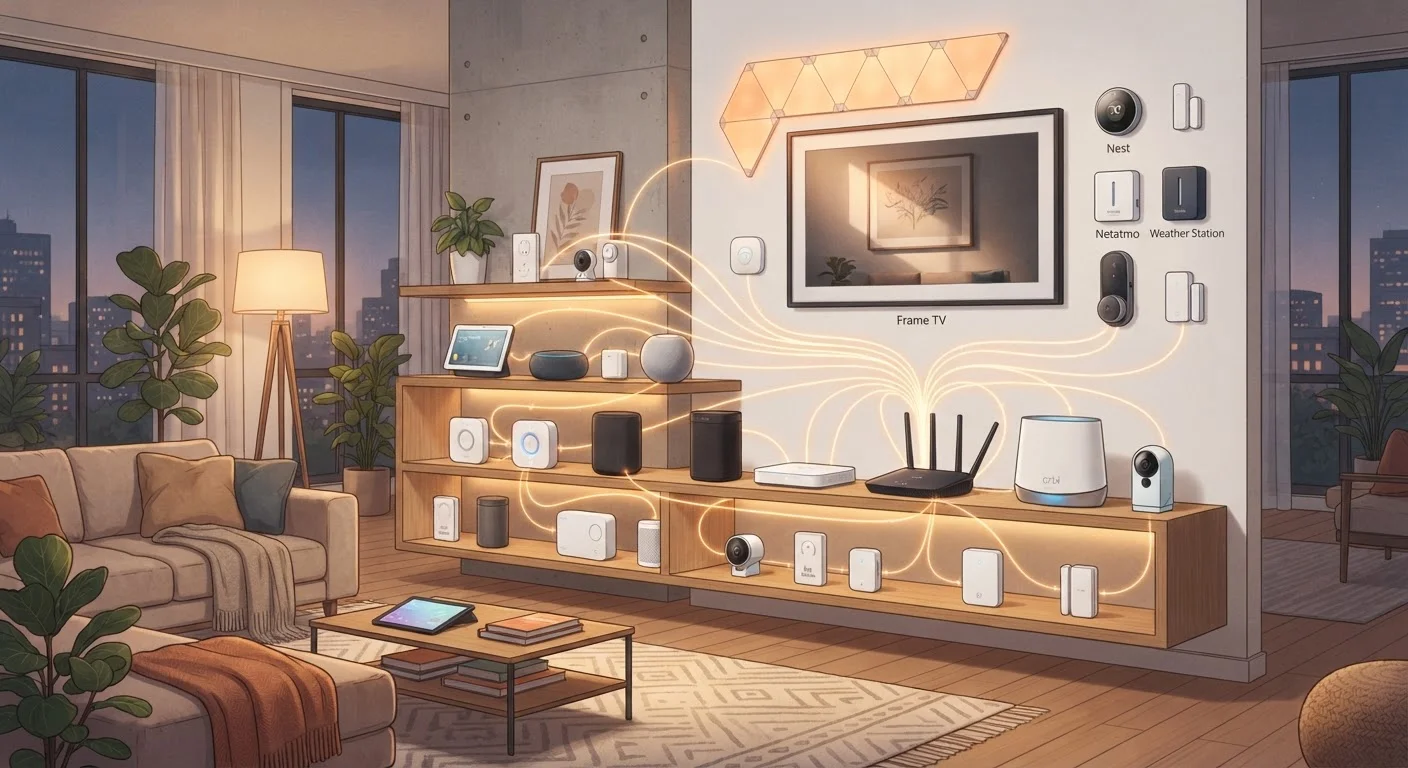
Why Vendor Lock-In Is a Real Problem
Smart home devices sound straightforward until you realize the bulbs you bought only work inside one company's app, and the thermostat you love doesn't speak to either of them. That's vendor lock-in: your devices function as a closed club, and switching costs real money and real frustration.
If you're new to connected home tech, our plain-language smart home overview explains how devices connect and what ecosystems actually are. The short version: most smart home platforms were originally designed to keep you buying from the same brand. That incentive hasn't disappeared, but open standards are changing the balance of power.
Understanding your options before you spend a dollar is far easier than untangling a locked ecosystem later. This guide walks you through a practical approach - from evaluating standards to choosing a neutral hub to buying devices that play well with others.
What you will need
What You'll Need Before You Start
Before following the steps below, take stock of what you already own and what protocols your current devices support. Check each device's app or packaging for terms like Zigbee, Z-Wave, Thread, or Matter - these are the open communication languages that make cross-brand compatibility possible.
Matter-compatible smart home hub
Acts as a central controller that bridges devices from different brands using open standards.
Zigbee or Z-Wave USB coordinator
Enables a software hub (like Home Assistant) to communicate directly with Zigbee or Z-Wave devices.
Home Assistant or similar open-source platform
Provides vendor-neutral local automation and device management without relying on cloud services.
Network switch or VLAN-capable router
Allows you to segment smart home devices onto their own network for better security and performance.
If you're considering the Matter standard specifically, our article on what Matter actually changes for compatibility gives an honest breakdown of its real-world limits alongside its benefits.
Step-by-Step: Building a Vendor-Neutral Smart Home
Audit Your Existing Devices and Protocols
Before adding anything new, document every smart device you own. For each one, note the communication protocol it uses - Wi-Fi, Zigbee, Z-Wave, Thread, or Bluetooth. This information is usually in the device's settings app or on the packaging. Group devices by protocol; this tells you which hub types can already manage them without extra adapters.
Choose a Neutral Hub as Your Foundation
Select a hub that supports multiple protocols natively rather than one tied to a single manufacturer's ecosystem. Look for hubs that explicitly support Matter, Thread, Zigbee, and Z-Wave in one unit. A hub from an independent platform - or an open-source option run on local hardware - gives you the most flexibility and the least cloud dependency.
Avoid hubs that require an active subscription to unlock core functionality; if the subscription ends, so does your automation.
Verify Protocol Support Before Every Purchase
For every new device you consider, confirm on the manufacturer's spec sheet - not just the marketing copy - which protocols it supports natively. A device that requires a proprietary bridge to function adds a dependency you'd rather avoid. Prioritize devices certified under open standards and confirmed compatible with your hub model.
Set Up Automations Through the Hub, Not Brand Apps
Once devices are connected to your neutral hub, build all automations and routines inside the hub's interface rather than inside individual brand apps. This keeps your logic in one place and makes it portable. If you later replace a device, you update one automation in one place instead of rebuilding routines scattered across multiple apps.
Test Reliability and Document Your Setup
After connecting devices, run each automation during normal use for at least a week before considering the setup complete. Note any devices that drop off the network frequently or require hub restarts. Keep a simple document - even a notes app file - listing every device, its protocol, its hub location, and any quirks. This saves significant time during troubleshooting or when adding devices later.
Start Small and Expand Gradually
You don't have to replace every device at once. Prioritize high-friction pain points - lights that don't talk to your thermostat, for example - and migrate one room or category at a time. This approach keeps your home functional throughout the transition and gives you time to validate each choice before scaling it.
One area worth thinking through carefully is how your devices handle outages. Cloud-dependent devices go offline when a manufacturer's servers go down or a company folds - that's a real risk in a fragmented market. For a deeper look, see our comparison of local vs. cloud-dependent smart devices.
Security is also worth addressing early. A cross-platform setup can introduce more entry points to your network. Our guide to locking down your smart home network covers the practical steps to keep those access points from becoming vulnerabilities.
Proprietary Bridges Add Hidden Risk
Some devices advertise cross-platform support but still require the manufacturer's own bridge hardware to function. If that company discontinues the bridge or its cloud service, your device stops working entirely. Always confirm whether a device can operate through an open-standard hub without the brand's proprietary hardware in the chain.
Common Pitfalls and How to Sidestep Them
Even with the best planning, a few mistakes trip up most first-time builders of cross-platform setups.
- Assuming "Works with Alexa" means full integration. Voice assistant compatibility often means basic on/off control, not access to every device feature. Test before committing to a full purchase.
- Ignoring firmware and app dependencies. Some devices need a manufacturer's app running in the background to bridge protocols. If that company discontinues the app, the device becomes a brick. Prefer devices that work natively over standard protocols.
- Mixing too many hubs. Each hub you add is another potential point of failure and complexity. Start with one capable hub and expand only if a specific device genuinely requires it.
- Not checking hub compatibility before buying sensors or switches. Verify the exact model is supported - not just the brand - on your hub's official compatibility list.
For a broader view of how different ecosystems compare if you ever decide a single-platform approach makes more sense for your situation, see our ecosystem comparison guide. And if you're renting and need to keep installs damage-free, renter-friendly smart home options outlines what's possible without permanent changes.
Discontinued Services Can Brick Devices
Smart home manufacturers have shut down cloud services with limited notice, leaving their devices non-functional. This is not a rare edge case - it has happened across multiple product categories. When evaluating any connected device, research whether it can operate locally, over an open protocol, or only through the manufacturer's cloud. Devices that depend entirely on a vendor's servers carry meaningful long-term risk.
The content on this site is for informational purposes only and is not a substitute for professional advice. Always consult a qualified professional for guidance specific to your situation.