

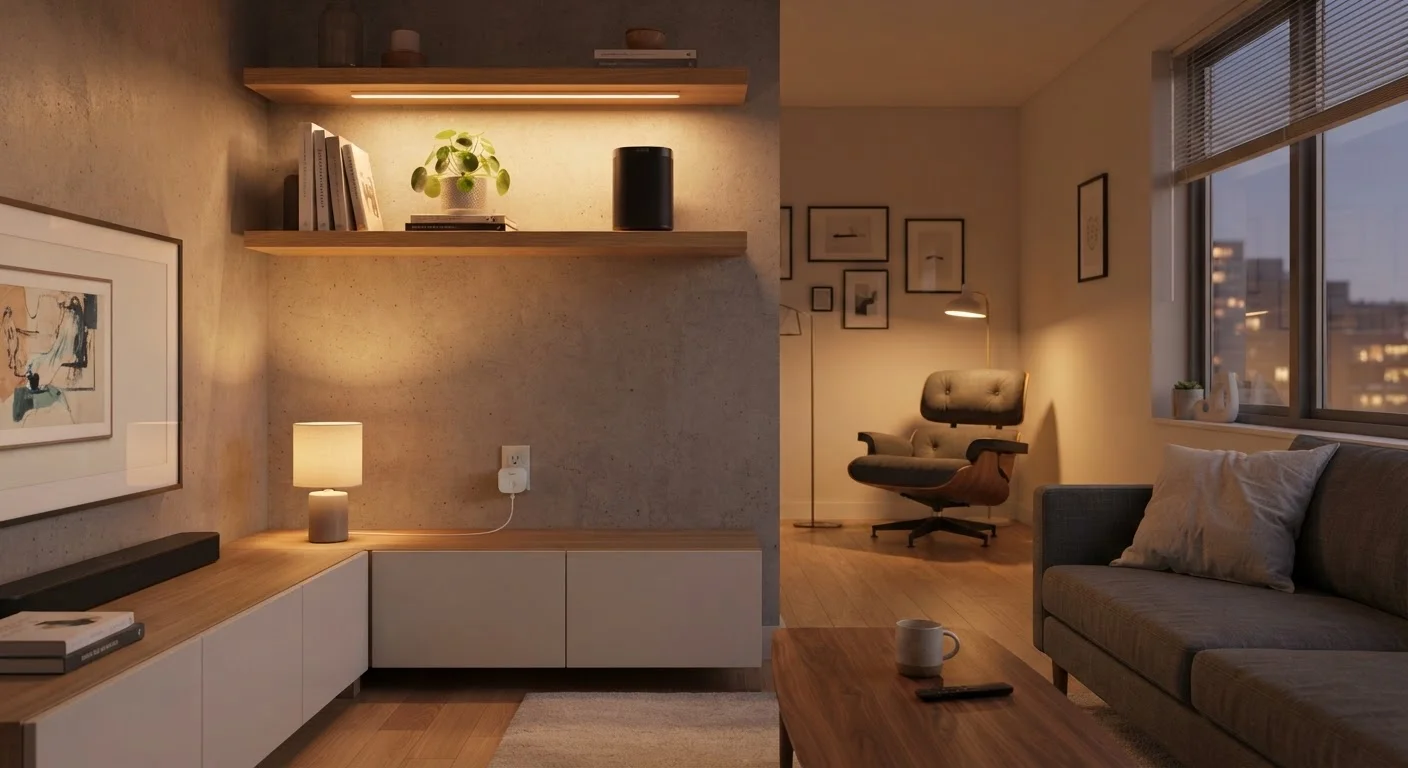
Why Renters Have More Smart Home Options Than They Think
The assumption that smart home technology is only for homeowners who can drill, rewire, and renovate is outdated. A growing category of devices is designed specifically to be portable, damage-free, and easy to reverse. If you're renting, that matters - both for preserving your security deposit and for keeping your options open when you move.
Before picking any device, it's worth understanding how smart home ecosystems work at a basic level. Our plain-language guide to smart home tech is a good starting point if you're new to this space. The short version: most modern smart devices communicate over Wi-Fi, Bluetooth, or a low-power mesh protocol called Zigbee or Z-Wave. None of those require you to touch your building's wiring.
The devices that cause problems for renters are typically hardwired thermostats, in-wall switches, and video doorbells that replace existing hardware. Everything else - smart bulbs, plugs, speakers, sensors - is almost always renter-safe out of the box.
What you will need
What to Check Before You Buy Anything
Even no-drill devices can create friction with landlords if you're not careful. A quick review of your lease before purchasing is time well spent.
Always Check Before You Install
Even damage-free adhesive products can technically count as "alterations" under some lease language. A five-minute conversation or email to your landlord before you start can prevent deposit disputes later. Never assume permission - document it.
Look for clauses about alterations, modifications, or fixtures. In most standard leases, replacing a light switch or doorbell would require written permission. Plugging in a device or swapping a light bulb typically wouldn't. When in doubt, a short email to your landlord asking for clarification creates a paper trail and often gets a quick green light.
Also consider your Wi-Fi setup. Smart devices depend on a reliable wireless network, and if your router is in a far corner of the apartment, devices in rooms on the other end may drop connections. A compact Wi-Fi extender - itself a renter-safe device - can solve this without touching any wiring.
The Renter-Friendly Device Toolkit
These are the device categories that work well in rental settings, with no permanent installation required.
Smart Plug
Turns any standard outlet into a remotely controllable outlet - no wiring changes needed.
Smart Bulbs
Replace existing bulbs in any fixture to add dimming, color, and app or voice control.
Smart Speaker or Display
Provides voice control for other smart devices and acts as an informal hub for routines.
Adhesive LED Light Strips
Add controllable ambient lighting to shelves, furniture, or walls without drilling or hardwiring.
Battery-Powered Motion Sensor
Triggers automations or alerts when movement is detected - mounts with adhesive, no wiring.
Wi-Fi Extender or Mesh Node
Extends wireless coverage to dead zones in larger apartments so devices stay connected.
Smart plugs are often the fastest upgrade - just replace any standard outlet use with a smart plug, and now that lamp or fan is app- or voice-controlled. Smart bulbs go a step further: swap the bulb in any fixture you're already using, no rewiring needed. Both come back with you when you move.
For lighting ambiance, adhesive-backed LED strips can be applied to the underside of shelves or behind furniture. Most use 3M-style adhesive that peels off cleanly, though it's worth testing on an inconspicuous surface first. Our room-by-room smart home ideas guide offers practical placement suggestions organized by space.
Battery-powered motion sensors and contact sensors (for doors and windows) are also fully reversible. They mount with adhesive or small magnets and add real security utility without any hardware modifications.
Plan for Your Next Move Now
Every device you install as a renter should be one you can take with you. Before buying, ask: does this unplug or unmount cleanly? If you're choosing between two similar products, the more portable one is almost always the better choice for renters. Thinking about cross-platform compatibility from the start - as explored in our guide on avoiding ecosystem lock-in - also pays off at moving time.
Step-by-Step: Setting Up a Renter-Safe Smart Home
Read your lease and clarify any grey areas
Before purchasing anything, pull out your lease and look for language around alterations, fixtures, or modifications. If a clause seems ambiguous, email your landlord a specific question - e.g., "Is it acceptable to use adhesive-mounted hooks or swap light bulbs with smart bulbs?" Most landlords will say yes, and you'll have written confirmation.
Audit your Wi-Fi coverage
Walk through each room where you plan to use smart devices and check your signal strength (most phones show this in settings or with a free app). If any area has a weak signal, set up a Wi-Fi extender or a compact mesh node before adding smart devices that depend on connectivity.
Start with smart plugs and bulbs
Plug a smart plug into an existing outlet, then plug your lamp or appliance into it. For smart bulbs, simply unscrew your current bulb and screw in the smart replacement. Download the manufacturer's app, follow the in-app pairing steps, and connect the device to your Wi-Fi network.
Add a voice assistant or hub
A smart speaker with a built-in voice assistant can act as a central control point for your devices. Place it in a central location, set it up through its companion app, and link your other smart devices to it. This lets you control lights, plugs, and routines with voice commands or through a single app.
Mount sensors and strips using removable adhesive
For motion sensors, door sensors, or LED strips, use the included adhesive or a product like 3M Command strips. Clean the surface with a dry cloth before applying. Press firmly for 30 seconds and wait the recommended cure time (usually 1 hour) before applying load or running cables.
Build simple automations and routines
Once your devices are linked in an app, set up one or two basic automations: lights turning on at sunset, a plug cutting power to a device on a schedule, or a motion sensor triggering a light. Start simple and expand as you get comfortable. Our guide on smart home setup principles covers how to build a system that stays manageable over time.
Once your devices are running, think about how your setup will travel with you. Choosing devices that follow open standards - like the Matter protocol - means they'll work across different apps and hubs, not just one vendor's ecosystem. Our guide on building a smart home without ecosystem lock-in walks through why this matters for long-term flexibility.
Privacy is also worth a moment of consideration. Smart speakers and cameras collect data as part of their function. If you want to understand what's being gathered and how to limit it, see our overview of what smart home devices actually collect.
The content on this site is for informational purposes only and is not a substitute for professional advice. Always consult a qualified professional for guidance specific to your situation.