

Why Room-by-Room Thinking Changes Everything
Most people approach smart home technology by product category - smart bulbs here, a video doorbell there - and end up with a collection of devices that don't talk to each other and don't solve anything in particular. A more practical frame is to start with a specific room, identify the friction you actually experience there, and then ask which connected technology addresses it.
If you're still orienting yourself to the basics, Smart Home Technology, Explained for the Rest of Us covers how devices connect and what to realistically expect before you spend anything. Once you have that foundation, the room-by-room list below gives you a concrete place to start.
Entryway: Smart Locks and Video Doorbells
The entryway is one of the highest-return rooms for connected technology because the problems it solves are immediate and tangible. A smart lock lets you grant access without cutting physical keys, check whether the door is locked from anywhere, and set temporary codes for guests or service workers. A video doorbell gives you a visual record of activity at your front door and lets you respond to visitors even when you're not home.
These two devices work well together and don't require rewiring - most smart locks replace existing deadbolts using the same existing hole pattern, and most video doorbells connect to existing doorbell wiring or run on rechargeable batteries. Compatibility with a common smart home platform (such as Matter, Google Home, or Amazon Alexa) is worth confirming before purchasing either.
Smart locks solve a daily friction point without requiring any permanent structural changes to your door.
Kitchen: Smart Plugs and Appliance Monitoring
The kitchen rarely needs a full connected overhaul, but a few targeted upgrades can meaningfully reduce small daily annoyances. Smart plugs - outlets that can be switched on or off remotely or on a schedule - are useful for countertop appliances you sometimes forget to turn off, like a coffee maker or electric kettle. Some smart plugs also include energy monitoring, which shows you how much power a given device is drawing over time.
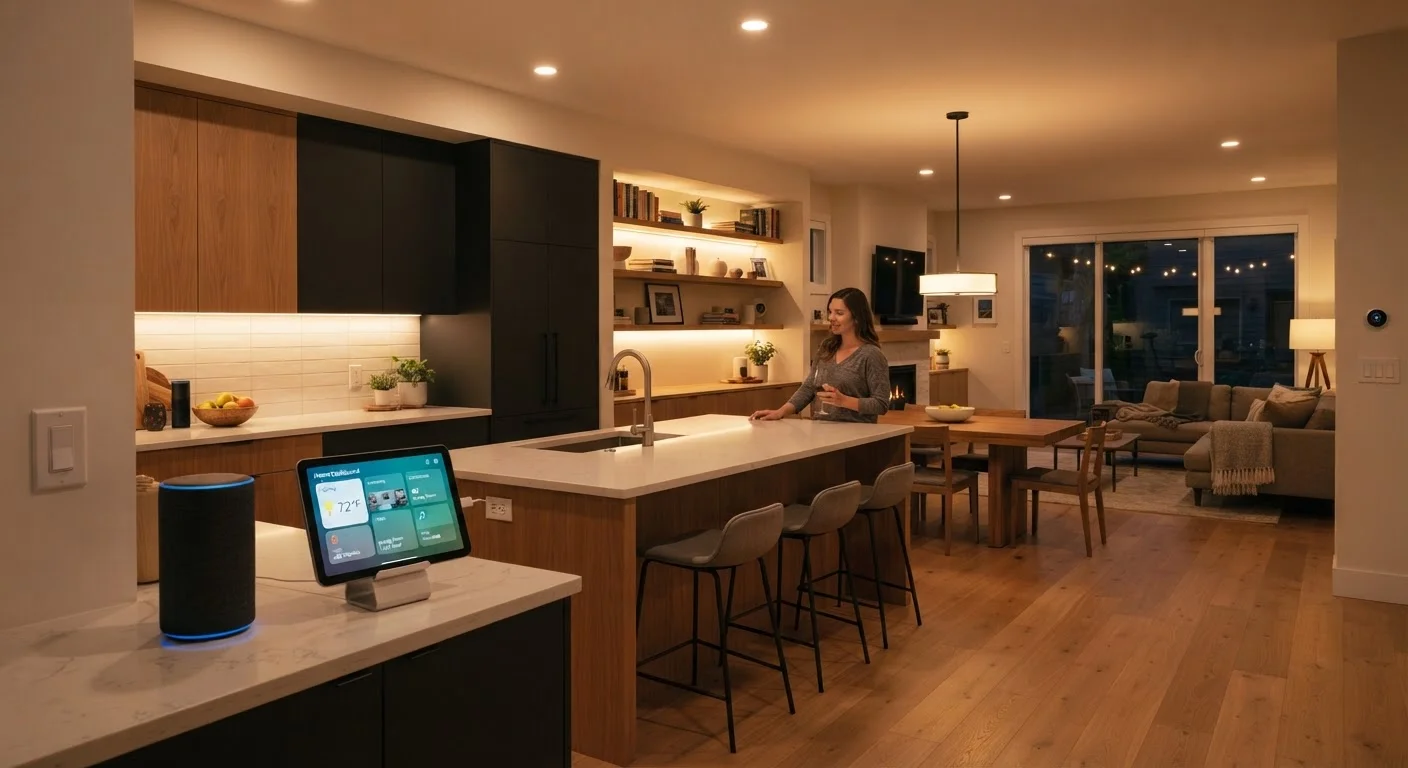
For households with a connected display or voice assistant already in the kitchen, adding it to recipe lookup, timer management, and unit conversion is genuinely useful - not because it's novel, but because both hands are often occupied while cooking. Keep the scope modest; a kitchen with two or three well-chosen connected devices typically outperforms one with a dozen poorly integrated ones.
Smart plugs with energy monitoring let you track appliance draw and build simple on/off schedules without replacing hardware.
Living Room: Lighting Scenes and Entertainment Control
Smart lighting in the living room offers more nuance than simple on/off control. Adjustable color temperature - the warmth or coolness of the light - allows you to shift from bright, focused light during the day to a warmer tone in the evening, which many people find more comfortable. Pre-set scenes (a group of lights configured to specific brightness and color levels simultaneously) can be triggered by voice, a button, or an automation routine tied to time of day.
Universal smart remote systems and HDMI-CEC-enabled devices can consolidate control of televisions, soundbars, and streaming players into a single interface. This is worth considering if your current setup involves three or four separate remotes. Home Automation Routines Worth Setting Up helps distinguish the setups that actually stick from those that get abandoned quickly.
Adjustable color temperature lighting is one of the most underrated comfort upgrades in a connected living room.
Bedroom: Sleep-Supportive Automations
The bedroom is where automation that matches your actual schedule pays off most. A common and practical setup is a morning light routine: smart bulbs that gradually brighten starting a few minutes before your alarm, simulating a natural sunrise. This is especially useful in winter months when mornings are dark. Similarly, a "goodnight" routine that switches off all lights, locks the front door, and lowers the thermostat can be triggered with a single voice command or a tap on a bedside button.
Smart thermostats are relevant here too - a setback schedule (automatically lowering heat or air conditioning while you sleep, then returning to a comfortable temperature before you wake) can reduce energy use without any manual adjustment. These routines work best when they're simple enough that you don't need to manage them after initial setup.
A gradual wake-up light routine is one of the simplest bedroom automations that people reliably continue using.
Home Office: Network Reliability and Focus Modes
A home office demands consistent, fast connectivity more than almost any other room. If your current Wi-Fi signal is weak or inconsistent at your desk, a Wi-Fi mesh system - a set of interconnected access points that create a seamless wireless network across a larger area - is one of the most practical connected home investments available. Unlike a basic range extender, mesh systems hand devices off between nodes without dropping connections.
On the automation side, a "focus mode" routine that silences smart displays, dims hallway lights to signal that you're working, and adjusts the thermostat can be triggered when you sit down to work. This requires some upfront configuration, but it's a single routine rather than an ongoing manual process. Smart Home Setup Principles That Hold Up is useful reading before making network infrastructure decisions.
Reliable mesh Wi-Fi often delivers more practical value in a home office than any smart device running on top of a weak network.
Building From Here
None of these upgrades require doing everything at once. In fact, starting with one or two rooms - the ones where daily friction is highest - typically produces more satisfaction than a whole-home rollout attempted over a single weekend.
Start With One Room, Nail It First
Picking a single room and completing it before moving on reduces the chance of compatibility regret and helps you learn your platform before expanding. Most people find that getting one room working well builds more confidence than spreading five devices across five rooms simultaneously. Once you understand how your chosen ecosystem handles automations and device grouping, adding subsequent rooms becomes much faster.
If you're working out a logical installation sequence, Your First Smart Home: What to Set Up and in What Order maps out which devices to install first and how to avoid compatibility dead ends. And if you're renting, Renters and Smart Home Tech covers what you can install without leaving a mark. The goal isn't a fully automated home - it's a home that works a little more smoothly for the way you actually live.
Compatibility Is the Hidden Variable
Most smart home frustration traces back to devices that don't share a common protocol or platform. The Matter standard - a relatively recent cross-industry initiative - is designed to make devices from different manufacturers work together more reliably, but not all devices support it yet. Before purchasing any connected device, check which platforms it supports and confirm that it's consistent with what you already own. Smart home setup principles that hold up over time can help you build a system that stays flexible as technology evolves.
The content on this site is for informational purposes only and is not a substitute for professional advice. Always consult a qualified professional for guidance specific to your situation.