

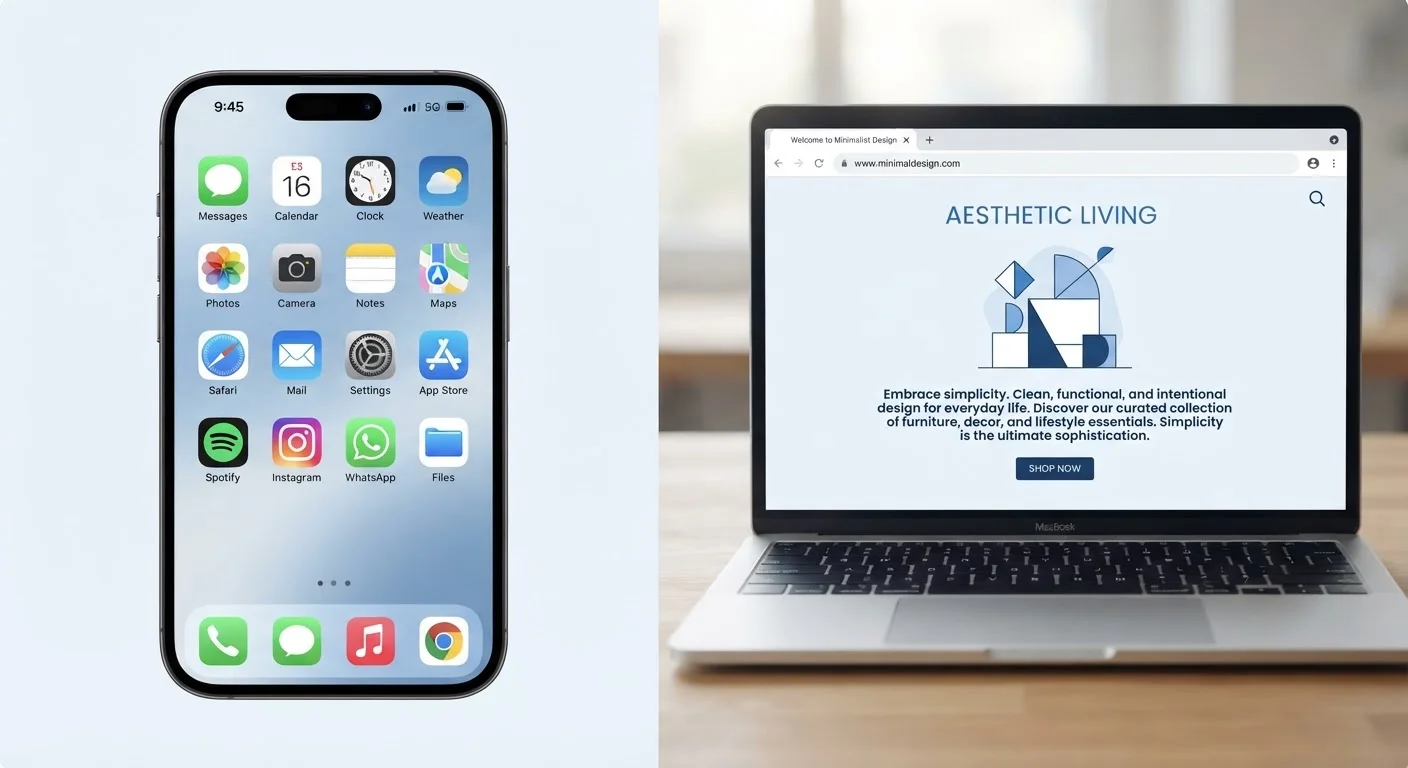
Option A
Native Apps
The full-power, device-integrated experience.
Best for: Users who need offline access, fast performance, and deep integration with their device hardware.
Option B
Web Apps
The lightweight, browser-based alternative.
Best for: Users who prefer no installation, cross-device flexibility, and lower storage overhead.
What Actually Makes an App 'Native' or 'Web-Based'?
When someone says «download the app,» they almost always mean a native app - software built specifically for one platform (iOS, Android, Windows, macOS) and installed directly on your device. Native apps are written using tools and programming languages that platform makers officially support, which means they can tap directly into your device's camera, GPS, microphone, and notification system.
Web apps, by contrast, live inside a browser. You navigate to a URL, and the site behaves like an application - you can interact with forms, manage data, and sometimes even use some device features - but nothing is installed on your device. Google Docs, Trello, and most banking sites work this way.
A third category, progressive web apps (PWAs), blurs the line. PWAs are web apps that can be saved to your home screen, send push notifications, and cache some content for offline use. They're worth knowing about, but they still operate within tighter constraints than a fully native app.
Speed, Storage, and Performance: The Real Trade-offs
Native apps generally feel faster because they're pre-installed on your device and built to run on its specific hardware and operating system. A native app doesn't need to re-download its interface every time you open it - the interface lives locally.
Web apps rely on your browser doing a lot of heavy lifting. Every session may fetch updated code from a server, and performance is influenced by your internet speed, browser version, and how well the web app was engineered. For occasional, low-intensity tasks - reading a news article, filling out a form - this barely matters. For video editing, complex spreadsheets, or real-time gaming, the gap is significant.
Storage is the flip side. Native apps can consume dozens to hundreds of megabytes (sometimes gigabytes) on your device. If you're managing a phone with limited storage, a web app that stores almost nothing locally can be a genuine advantage. See our discussion in cloud vs. local storage for a broader look at how file location choices play out.
| Criterion | Native Apps | Web Apps |
|---|---|---|
| Installation required | Yes - downloaded via app store | No - opens in a browser |
| Offline capability | Yes, for most core features | Limited; depends on caching |
| Device storage used | Can be substantial | Minimal to none |
| Hardware access (camera, GPS) | Full access with permissions | Limited, browser-mediated |
| Performance | Generally faster, optimized | Dependent on browser and connection |
| Privacy exposure on-device | Higher - background access possible | Lower - sandboxed in browser |
| Cross-device compatibility | Platform-specific | Works on any modern browser |
| Updates | Manual or automatic via app store | Automatic - always current |
Privacy and Permissions: Who Gets Access to What
This is where the distinction gets practically important. When you install a native app, it may request access to your location, contacts, microphone, photos, and more - sometimes all at once. Even if you decline initially, apps can re-prompt or limit functionality if permissions are denied. Understanding what those prompts really mean is covered in depth in our app permissions guide.
Web apps operate inside the browser's sandbox - a deliberately restricted environment. A web app generally cannot access your contacts, run in the background, or silently collect data the way a poorly designed native app might. Browser-based access to your camera or microphone still requires explicit permission, but that permission is tied to the browser session, not a persistent background process.
There's a caveat: account data you submit through a web app is still stored on that company's servers. The reduced on-device footprint doesn't mean the service itself collects less data - it just means less is stored locally. It's also worth knowing that deleting a native app doesn't erase your data from the company's servers.
Progressive Web Apps: A Middle Ground
Some services now offer progressive web apps (PWAs) that sit between native and web. A PWA can be added to your home screen, work offline in limited ways, and send push notifications - all without a formal app-store install. They don't replace native apps for hardware-intensive tasks, but they're a useful option when a web app feels too bare-bones and a native app feels like overkill.
When to Use Each - A Practical Decision Framework
Frequency of use is probably the single most useful filter. If you're going to use a tool once or twice, opening it in a browser is almost always the sensible move - no installation, no permissions, no storage hit. If you're using something daily, a native app's speed and offline capability typically justifies the trade-off.
Hardware access is the other key question. A navigation app that needs real-time GPS, a camera app that edits photos with device-level processing, or a fitness tracker syncing with hardware sensors - these are native app territory by necessity. A project management tool, a notes service, or a scheduling calendar? The web version often does the job just as well.
The same logic applies to smart devices. Tools that process data locally rather than relying on an internet connection tend to be more resilient - a concept explored further in our piece on local vs. cloud-dependent smart devices. Choosing between a native and web app is a version of the same underlying question: where does the processing happen, and what are you trading away for convenience?
~50%
Smartphone users download zero new apps monthly
Research from Comscore and similar mobile analytics firms has consistently found that a large share of smartphone users don't download any new apps in a given month, suggesting many needs are already being met - or that friction deters adoption.
2-3×
More permissions requested by native vs. web apps
Security researchers have generally observed that native apps request significantly more device permissions than equivalent web-based tools, given their deeper integration with the operating system.
The content on this site is for informational purposes only and is not a substitute for professional advice. Always consult a qualified professional for guidance specific to your situation.