

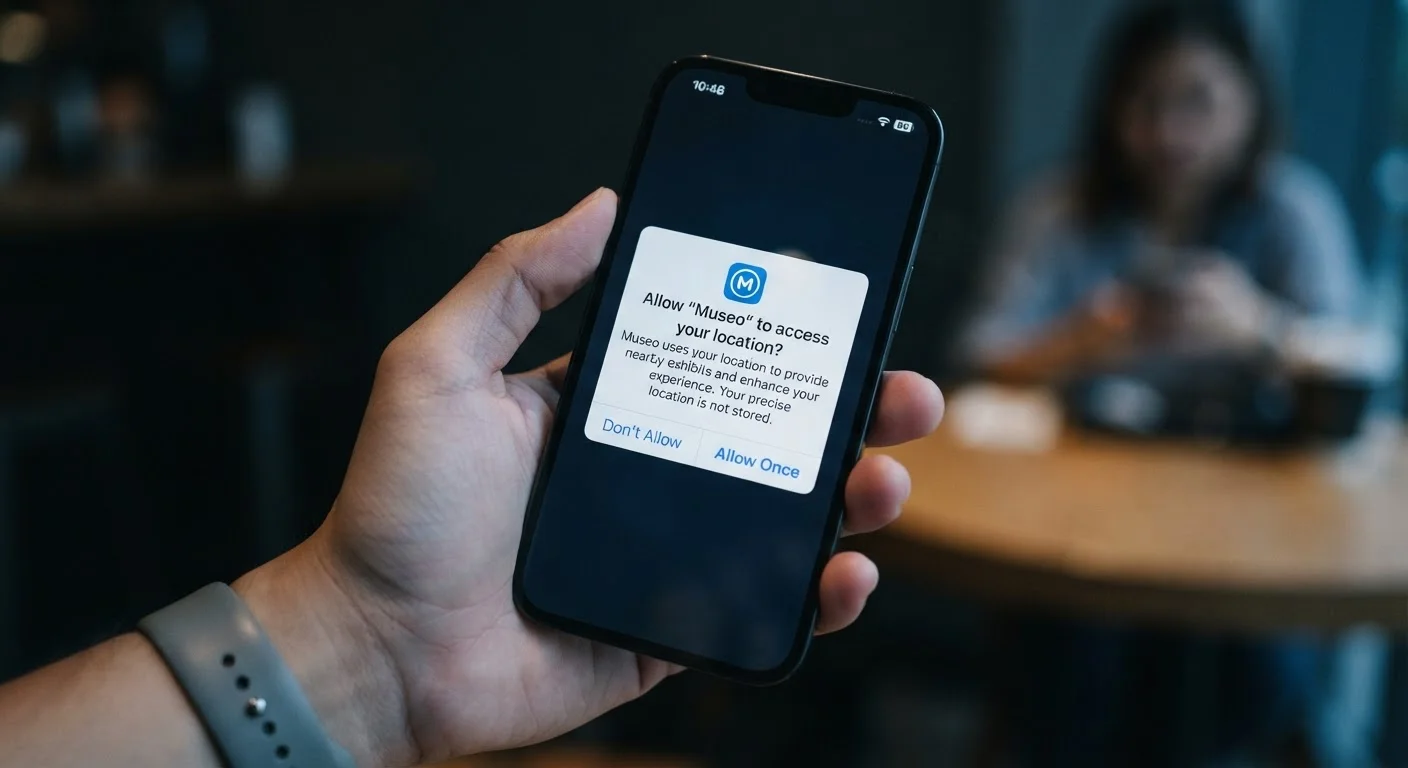
Why App Permissions Exist
Your phone is essentially a pocket-sized bundle of sensors and personal data. It knows where you are, who you call, what you look like, and what you say. App permissions are the gating mechanism that prevents every app you install from accessing all of that simultaneously without your knowledge.
When an app needs a sensitive capability - say, a map app needing GPS coordinates - the operating system steps in and asks you directly. That pop-up isn't a formality. It's a formal request logged by the OS, and your answer shapes what the app can do going forward.
Understanding the permission system also connects to broader questions about how apps are built and distributed. How the app ecosystem works influences why certain permissions exist in the first place - including business incentives that go beyond basic functionality.
Web Apps Request Fewer Permissions by Default
If an app's permission requests feel excessive, consider whether a browser-based version of the same service might meet your needs. Web apps run in a sandboxed environment that limits hardware access without additional prompting. The trade-offs between native and web apps are worth understanding before you decide which version to use.
The Permission Categories That Matter Most
Not all permissions carry the same weight. Here's a plain-language breakdown of the ones worth paying attention to:
- Location: Can range from approximate city-level data to real-time precise GPS tracking. The difference between 'while using the app' and 'always' is significant - the latter means the app can track you in the background.
- Microphone: Required for voice calls, voice search, and recording features. An app that has no audio function requesting mic access is a red flag.
- Camera: Needed for photos, video calls, and QR scanning. Like the microphone, context matters - a flashlight app has no business needing your camera roll.
- Contacts: Allows an app to read your entire address book, including names, numbers, and email addresses of people who never agreed to share their data with that service.
- Storage / Photos: Grants access to files and media on your device. Some apps need this to save or share content; others use it to scan your library.
- Notifications: Not a data permission per se, but granting it means the app can interrupt you at will and track whether you engage with its alerts.
For a deeper look at when permission requests go beyond what's reasonable, see signs an app is collecting more data than it needs.
Start With Location and Microphone
If you only have a few minutes to audit your phone's permissions, prioritize location and microphone. These two grant the most sensitive ongoing access and are the most commonly over-shared. Set location to 'while using the app' for everything except navigation tools, and confirm that only apps with a clear audio use case have microphone access.
How to Audit and Adjust Your Permissions
Both iOS and Android give you a full view of your permission landscape without requiring any technical knowledge. The fastest method is to navigate through your phone's Privacy settings and look at permissions by category - this shows you every app that has access to your microphone, location, or contacts in a single list rather than app by app.
A useful audit habit: look for apps you installed months ago and forgot about. Both platforms can show when an app last used a permission. If an app accessed your location three months ago and you barely use it, that's worth revisiting.
45%
Users who never review app permissions after install
According to a Pew Research Center survey on Americans and privacy, nearly half of smartphone users report they never check app permissions once an app is installed.
~3 in 4
Apps that request at least one 'dangerous' permission
Research published in academic analyses of Google Play Store apps has found the majority of apps request at least one permission classified as sensitive by Android's permission framework.
1 in 3
Apps requesting location access on first launch
Studies of app behavior at install time consistently find location to be among the most commonly requested permissions, even for apps where location is not a core feature.
It's also worth remembering that removing an app isn't a complete clean break. Deleting an app doesn't always delete your data - the permissions you granted may have already enabled data collection that persists on the developer's servers.
The same data-awareness thinking applies beyond your phone. Smart home devices collect data in similar ways, often with even less visible consent prompting than mobile apps.
Frequently Asked Questions
Often, yes - especially for optional permissions. A shopping app may ask for your camera to scan barcodes, but you can still browse manually without granting it. Some core permissions, however, are required for an app to function at all; the app will usually tell you if a denied permission blocks a critical feature.
On iPhone, go to Settings > Privacy & Security, then select the specific permission (e.g., Microphone) to see every app that has requested it. On Android, go to Settings > Privacy > Permission Manager for the same overview. Both systems also show when an app last used a given permission.
It can affect specific features but rarely the overall app experience. Denying precise location for a weather app may mean you have to enter your city manually. Most apps are designed to handle denied permissions gracefully, offering a workaround rather than breaking entirely.
Revoking a permission stops future data collection but does not delete data already gathered. The app and its developer may retain previously collected information per their privacy policy. For a fuller reset, you'd typically need to delete your account with that service - not just uninstall the app.
The categories are similar but the controls differ. iOS tends to offer more granular options - for example, sharing only your approximate location rather than precise coordinates. Android's permission manager has become more robust in recent versions, with features like auto-resetting permissions for apps you haven't used in a while.
The content on this site is for informational purposes only and is not a substitute for professional advice. Always consult a qualified professional for guidance specific to your situation.