

What the App Ecosystem Actually Is
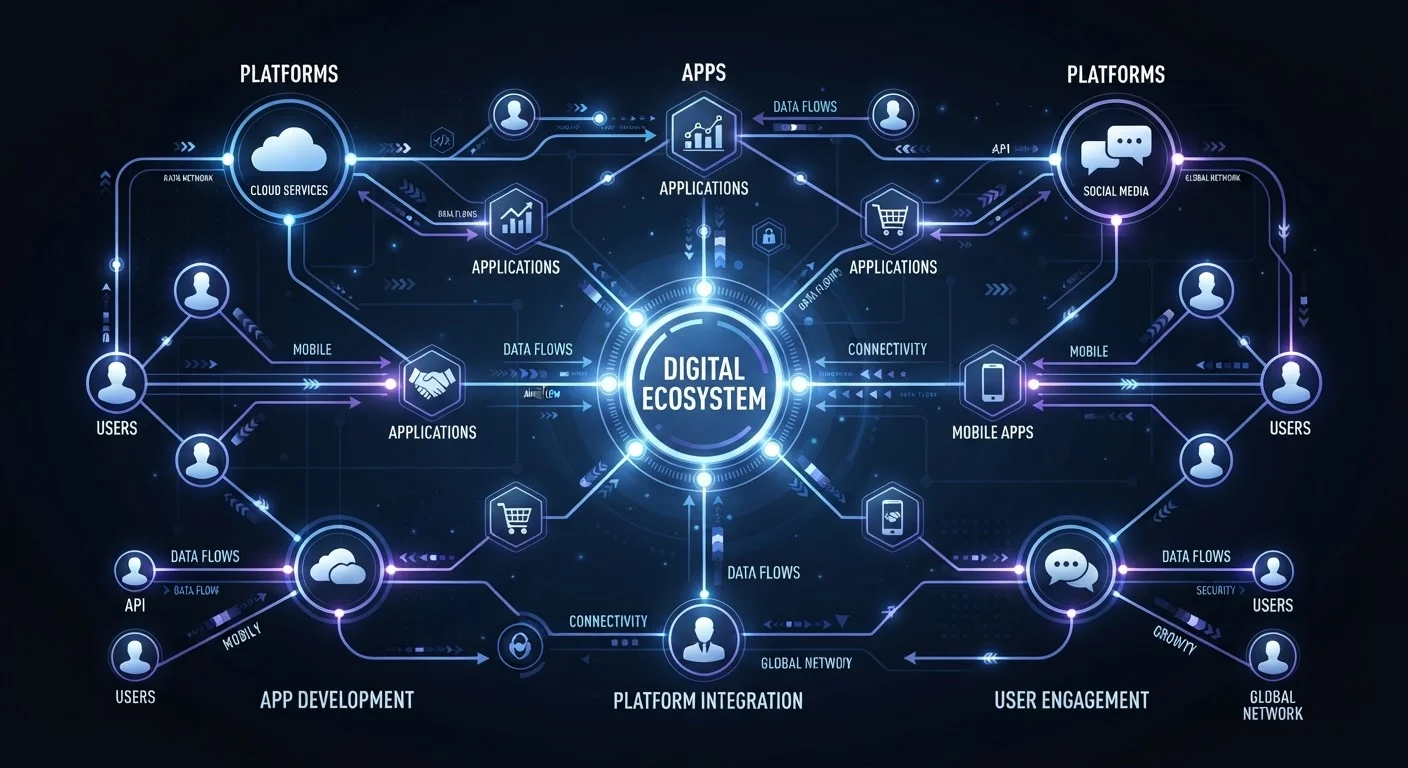
The word ecosystem gets used loosely in tech, but it captures something real: a self-reinforcing network where platforms, developers, and users each depend on the others. Remove any one group and the whole system breaks down.
At the center sit the platform owners - primarily Apple (iOS/iPadOS) and Google (Android) in mobile, and Microsoft in desktop software. They control the operating system and the official distribution channel, the app store. Around them orbit developers, ranging from solo indie builders to large software companies, who create apps under the platform's rules. Finally, users download, use, pay for, and generate data within apps - which in turn funds developers and validates the platform's value.
For an everyday user, this triangle matters because every decision made at the platform or developer level eventually affects your experience: which features appear, how your data is handled, and what happens when you try to move your digital life elsewhere. See how this dynamic plays out at a product level with our guide to smart home ecosystem trade-offs.
How Platforms Shape What Apps Can Do
Before a single user can download an app, the platform has already decided what kind of app is permissible. Both Apple's App Store and Google Play maintain developer guidelines - rulebooks covering everything from content standards to privacy practices and payment processing.
These rules have significant downstream effects:
- Payment restrictions: Platforms typically require developers to use their own in-app purchase systems for digital goods, collecting a commission (historically around 15-30%, though this has been contested in courts and regulators have applied pressure in several jurisdictions).
- API access: A platform decides which device features - camera, microphone, health sensors, NFC - developers can access at all, and under what conditions.
- Distribution monopoly: On iOS, the official App Store has historically been the only legal distribution channel for most users in most countries, though regulatory changes in the EU have begun to alter this.
The practical implication: an app on Android may have capabilities that an iOS version lacks, not because of developer preference, but because the platforms set different rules. When you wonder why a feature exists on one phone and not another, platform policy is often the answer.
Platform Lock-In Has Real Costs
When you purchase apps, games, or media through one platform's store, those purchases are typically tied to that platform's account - not to you personally. Switching from iOS to Android (or vice versa) often means repurchasing paid apps or losing access to purchased content entirely. Factor this into any decision to invest heavily in one ecosystem.
The Developer Side: Building Within the Rules
Developers build within the constraints the platform sets, but they still make meaningful choices that affect users. Chief among them: what problem to solve, how to fund the solution, and how much data to collect in the process.
Small independent developers often rely on a one-time purchase price or a simple subscription. Larger companies frequently cross-subsidise free apps with advertising revenue or use the app as a customer acquisition tool for a broader business. Either model is legitimate - what matters to you as a user is transparency about which model applies.
Before installing any free app, search for its privacy policy and look for the phrase 'third-party partners' - this tells you whether your data is being shared beyond the app itself.
Third-party SDK integrations are the most common - and least visible - route through which user data leaves an app. A quick policy scan takes under two minutes and reveals far more than the app's store listing.
Check the 'last updated' date in the app store listing. An app that hasn't been updated in over a year may be missing security patches, regardless of how well-reviewed it is.
Operating system updates routinely deprecate older APIs and introduce security requirements. Apps that aren't actively maintained can expose users to vulnerabilities that have since been patched in newer builds.
Developer incentives also shape update cadence and long-term support. A subscription app has a financial reason to keep improving; a one-time-purchase app may receive fewer updates over time unless the developer releases a paid upgrade. Neither is inherently bad, but knowing the model helps you set realistic expectations about the app's future.
How Apps Make Money - and What That Means for You
The four dominant monetisation models each carry different implications:
- Paid upfront
- You pay once to download. The developer's incentive is to win your purchase decision; ongoing support depends on their business health.
- Freemium
- Core features are free; advanced features require a subscription or one-time in-app purchase. Common and often fair - provided the free tier is genuinely useful.
- Advertising-supported
- The app is free because advertisers pay to reach you. Your attention - and often your behavioural data - is the product being sold.
- Data monetisation
- Less visible than advertising, some apps generate revenue by sharing or selling aggregated or individual user data to third parties. Privacy policies disclose this in legal language that most users skip.
~15-30%
Platform commission on in-app purchases
Standard commission rates charged by major app stores, though rates vary by developer size and have faced legal challenges in multiple jurisdictions.
2M+
Apps available on major app stores
Both the Apple App Store and Google Play have hosted over two million apps, making curation and discovery a central user challenge.
3 in 4
Smartphone users who never review app permissions
Surveys by digital rights organisations have consistently found most users accept default permissions without review after installation.
None of these models is universally good or bad. A well-run ad-supported app can provide genuine value; a paid app can be poor quality. The key is matching your expectations to the model. If an app is free and carries no ads, ask yourself how it sustains itself.
Your Data in the Ecosystem
Data flows in multiple directions within an app ecosystem. You generate it through every tap, search, and purchase. The app processes it to deliver its service. The platform may collect metadata about your usage. And third-party SDKs (software development kits) embedded in the app - analytics tools, advertising networks, crash reporters - may collect their own slice.
Permissions are the most direct lever you have. When an app requests access to your location, contacts, or microphone, that request reflects a genuine technical need - or an overstep. iOS and Android both allow you to grant or revoke individual permissions after installation, and reviewing these periodically is one of the most practical privacy habits you can build.
For a deeper look at the signals that suggest an app is overreaching, see signs an app is collecting more data than it needs. And when you're assessing any app that touches sensitive topics - mental wellness tools, for instance - the stakes around data handling are even higher; our piece on digital mental health tools covers what to watch for in that category specifically.
Third-Party SDKs Are Invisible to Most Users
Many apps embed analytics, advertising, or social login tools built by other companies. These SDKs can collect data independently of the app's own privacy practices. Reviewing an app's privacy policy for references to 'service providers' or 'analytics partners' gives you a more complete picture of who sees your data. When no such disclosure exists, treat that as a yellow flag.
Making Informed Choices as a User
Understanding the ecosystem doesn't require technical expertise - it requires a short checklist of questions before you commit to any app:
- What is the business model? Paid, freemium, ad-supported, or unclear?
- What permissions does it request? Do they match the app's stated purpose?
- Who built it and do they have a track record? App store review counts and update history are quick proxies for developer reliability.
- What happens to your account if you switch platforms? Cloud-synced data is portable; locally-stored data often isn't.
- Is two-factor authentication available? For any app holding sensitive data, this is a baseline security expectation - see our guide on two-factor authentication across your apps for how to approach it.
The app ecosystem is designed to feel frictionless - and mostly it is. But behind that frictionless surface are deliberate choices by platforms and developers that shape your experience in ways worth understanding. A few minutes of informed scrutiny before downloading can save significant hassle - and privacy headaches - later.
Audit Your Installed Apps Annually
Set a reminder once a year to review every app on your phone. Delete anything you haven't used in three months - dormant apps can still collect data in the background and represent unnecessary permission grants. Both iOS and Android show per-app data and permission usage in system settings, making this audit straightforward.
The content on this site is for informational purposes only and is not a substitute for professional advice. Always consult a qualified professional for guidance specific to your situation.