

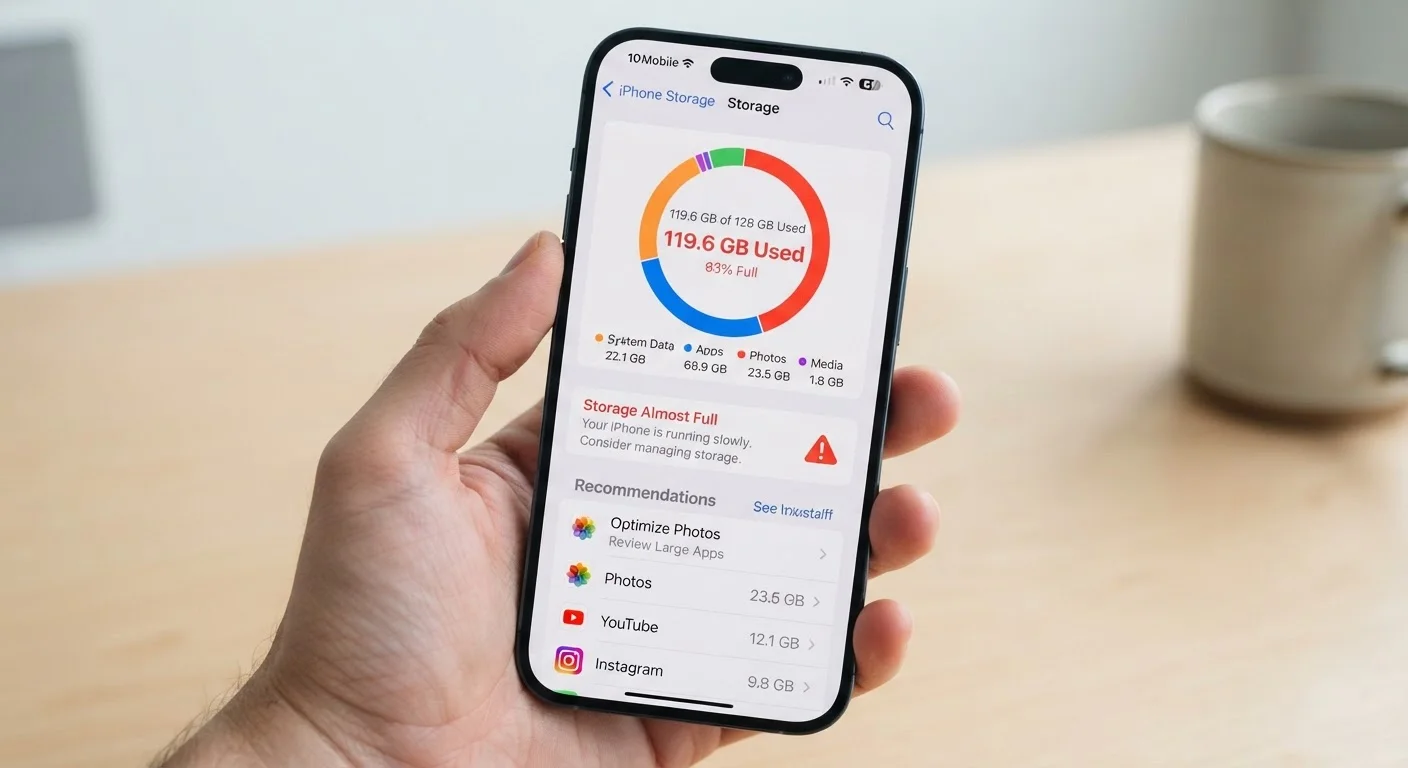
Why Your Phone Feels Full Before You've Done Anything
You bought a 128GB phone. The box says 128GB. Yet when you set it up, you're already down to 110GB - sometimes less. Where did it go?
A portion of advertised storage is consumed by the operating system itself, recovery partitions, and firmware. Manufacturers must include this overhead for the device to function, but it's rarely spelled out at the point of sale. Beyond the OS, many carriers and manufacturers pre-install apps - sometimes called bloatware - that you may never use but that occupy real space. Some of these can be disabled but not fully removed.
This isn't a defect; it's how modern smartphones work. But knowing it upfront changes how you think about storage marketing. A phone advertised at 64GB may leave you with fewer usable gigabytes than feels reasonable, while 256GB gives you meaningful headroom even after system overhead.
10-20GB
Typical OS and system overhead on a new phone
Estimates vary by manufacturer and Android skin, but it's common for system files alone to consume 10-20GB of advertised storage out of the box.
~3GB
Average space consumed by a single year of casual photo-taking
Based on typical smartphone photo file sizes, a user taking a few photos per day can accumulate several gigabytes in a year without downloading anything else.
The Biggest Mistakes People Make With Phone Storage
Once the system has taken its cut, your own habits determine how quickly the rest disappears. These are the most common - and fixable - storage mistakes consumers make.
Ignoring app cache buildup over time.
Why it happens: Caches are designed to speed up apps, so they grow quietly in the background without any visible prompt to the user.
Keeping downloaded media 'just in case' after watching it.
Why it happens: Downloading a show or playlist for offline use is easy; going back to delete it afterward rarely feels urgent in the moment.
Letting duplicate and burst photos pile up indefinitely.
Why it happens: Burst mode, HDR processing, and Live Photos can silently generate multiple files per shot. It's easy to assume one photo took one slot.
Treating 'delete app' as a complete cleanup.
Why it happens: Removing an app icon feels final, but residual data - cached files, account credentials, saved preferences - often remains in the system.
Never auditing pre-installed or forgotten apps.
Why it happens: Apps that came with the phone or were installed years ago become invisible - out of sight, out of mind, but still consuming space.
For a broader look at how apps interact with your data beyond just storage, see our guide on what app permissions really mean.
How to Actually Reclaim Space (And Keep It)
The most effective starting point is your phone's built-in storage analyzer, found under Settings → Storage on both Android and iOS. This tool breaks down usage by category - apps, photos, videos, system - and often surfaces the biggest offenders immediately.
A few high-impact habits worth building:
- Audit app caches monthly. On Android, you can clear cache per-app under App Info. On iOS, offloading an app (Settings → General → iPhone Storage) removes the app but keeps its documents and data, freeing space without losing your progress.
- Set photos to back up automatically to a cloud service, then delete local copies once confirmed. This alone frequently recovers multiple gigabytes.
- Check your messaging apps. Years of shared videos and voice memos accumulate silently. Most messaging apps have a built-in storage manager in their settings.
- Remove apps you haven't opened in 90 days. Note that deleting an app doesn't always remove all associated data - our article on what lingers after you delete an app explains what to check.
If you find yourself perpetually low on space, it may be worth rethinking where your files live. Our breakdown of cloud vs. local storage can help you decide what actually needs to stay on the device. And if you're wondering whether a new phone would solve the problem, consider reading about getting more life out of devices you already own before spending.
Don't Rely on 'Low Storage' Alerts Alone
Most phones only warn you when storage is critically low - often under 1GB remaining. By that point, the phone may already be slowing down, failing to receive app updates, or struggling to take photos. Waiting for the alert means you're already in a degraded state. Proactive monthly checks prevent this entirely.
The content on this site is for informational purposes only and is not a substitute for professional advice. Always consult a qualified professional for guidance specific to your situation.