

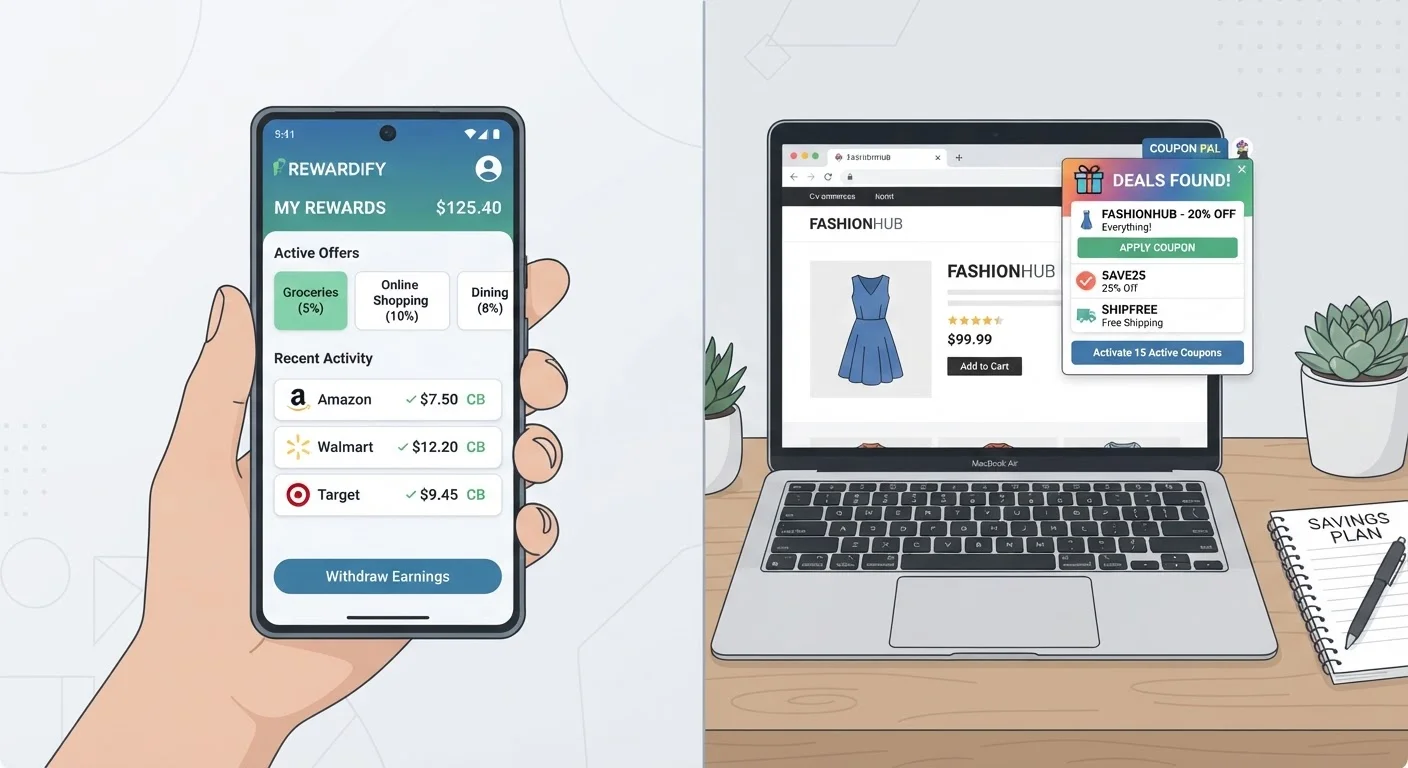
Option A
Cashback Apps
The deliberate, mobile-first savings method.
Best for: Shoppers who plan purchases in advance and don't mind initiating savings before they buy.
Option B
Browser Extensions
The passive, desktop-integrated savings layer.
Best for: Frequent online shoppers who want automatic coupon and cashback alerts without changing their routine.
How Each Method Actually Works
The core difference between cashback apps and browser extensions isn't just where they live - it's when they intervene in your purchase journey.
Cashback apps function as shopping portals. You open the app, find the retailer, tap through to the store, and shop. The app tracks your session and awards a percentage of your purchase back to your account after the return window closes - often days or weeks later. Missing that initial tap means missing the cashback entirely.
Browser extensions sit in your browser toolbar and monitor your checkout pages. When you land on a supported retailer's site, the extension automatically tests available coupon codes and, in some cases, alerts you to a cashback rate. You don't have to initiate anything - the tool works in the background.
Neither approach is universally superior. The right one depends on where you shop most often, how much effort you're willing to put in, and what your privacy comfort level looks like. For a broader look at how deliberate discount-layering works, see our guide on combining cashback with coupons.
| Criterion | Cashback Apps | Browser Extensions |
|---|---|---|
| Activation required | Yes - must tap through app first | No - runs automatically |
| Primary device | Mobile (some have desktop portals) | Desktop browser |
| Coupon code testing | Rarely included | Core feature for most extensions |
| Cashback payout timing | Days to weeks after purchase | Varies; same timing after tracking |
| Retailer coverage | Limited to app's partner network | Often thousands of retailers |
| Data access scope | In-app activity only | Browser-wide page access |
| Setup effort | App download and account required | One-time extension install |
Privacy, Data, and the Hidden Cost of Convenience
Both tools collect data in exchange for savings - but they do it differently, and the scope matters.
Browser extensions operate at the browser level, which means they can technically read page content across any site you visit, not just retailer pages. Reputable extensions limit what they actually collect, but users should review permissions carefully during installation. A permission that reads "read and change all your data on websites you visit" is broad by design.
Cashback apps collect purchase history and browsing data within their own environment. That's a narrower footprint in theory, though apps may still share anonymized data with marketing partners. Reading the privacy policy of any tool - however tedious - remains the only reliable way to understand what you're agreeing to.
~$150
Estimated average annual cashback earned by active users
Industry estimates suggest consistent users of cashback platforms can recoup roughly $100-$200 per year, depending on spending volume and category mix.
1 in 3
Online shoppers using a browser savings extension
Survey data from multiple consumer research firms indicates browser-based savings tools have seen significant adoption among U.S. online shoppers in recent years.
For shoppers who already think carefully about digital footprints, this distinction can tip the scale. If you want to understand app vs. browser-based tools more broadly, native apps vs. web apps covers the technical trade-offs in plain terms.
When Savings Tools Backfire
Both methods carry a behavioral risk that's easy to overlook: they can make a purchase feel smarter than it is. Earning 5% cashback on something you didn't need is still net spending, not saving. Deal-hunting habits that end up costing more explores this pattern in detail.
There are also mechanical pitfalls specific to each tool:
- Cashback apps: Cashback can be voided if you use a coupon code from a third-party source at checkout, or if you return part of an order. Always check the app's terms for each retailer.
- Browser extensions: Auto-applied coupon codes occasionally override a better deal already in your cart - like a loyalty discount or a price-match offer. It's worth confirming the final price after the extension runs.
For shoppers who want a fuller picture of how to manage savings alongside spending, the Smart Budgeting hub offers practical frameworks worth reviewing.
This article is for general informational purposes only and does not constitute financial advice. Readers should evaluate any savings tool against their own financial situation and consider consulting a qualified financial professional for personalized guidance.
Can You Use Both at the Same Time?
Technically yes, but it's complicated. Some cashback app portals will void your earnings if a browser extension applies a coupon code during checkout. Others are unaffected. The safest approach is to check each app's specific policy before layering tools on the same transaction. When in doubt, choose one method per purchase and stick with it.
The content on this site is for informational purposes only and is not a substitute for professional advice. Always consult a qualified professional for guidance specific to your situation.