

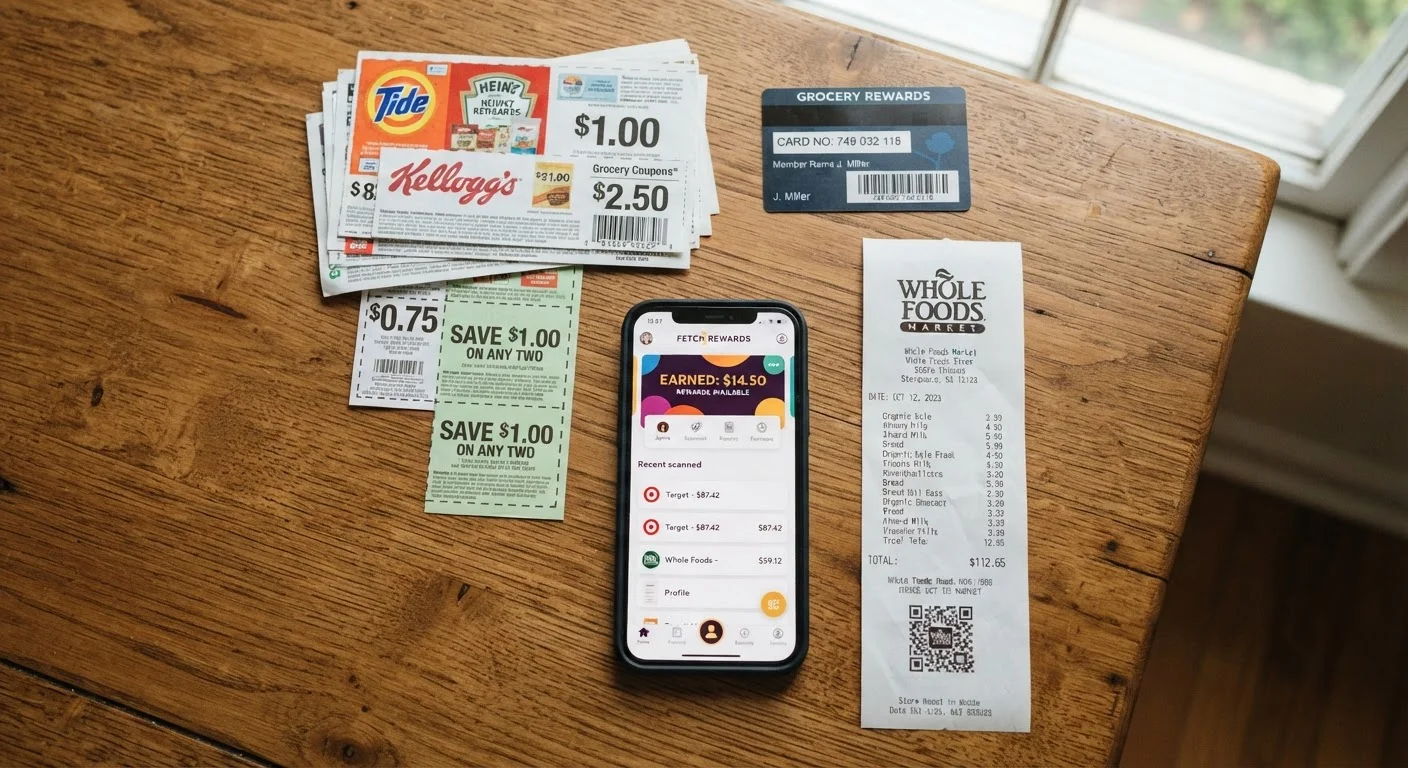
How Coupon Stacking Actually Works
Coupon stacking refers to combining multiple, separately sourced discounts on a single purchase so each discount reduces what the next one applies to - or adds an independent rebate on top. The practice is widely permitted when done within the rules each party has set: the store, the manufacturer, and third-party cashback platforms each operate independently.
The most straightforward permitted combination at most major retailers is a manufacturer coupon plus a store coupon on the same item. The manufacturer reimburses the store for its coupon; the store absorbs its own. These don't conflict. Cashback apps work entirely outside the retailer's system - they reimburse you after the fact based on your purchase - so they sit cleanly on top of any in-store discounts.
What stacking is not is combining two coupons of the same type on one item (two manufacturer coupons, for example), or misrepresenting a coupon's terms to get a discount it wasn't intended for. Those actions violate policy and, in some cases, coupon terms of service.
Misuse Can Get You Banned
Attempting to combine coupons in ways a store explicitly prohibits - such as using two manufacturer coupons on one item - is considered coupon fraud at some retailers and can result in your loyalty account being closed. Always verify the store's current coupon policy in writing before checkout. When in doubt, ask a store manager rather than assuming.
For a broader framework on how stacking fits into a year-round savings strategy, see The Complete Guide to Finding Genuine Deals Year-Round.
Tools and Setup You'll Need
Effective stacking requires a small amount of preparation before you shop. The goal is to have every layer of savings ready before you reach checkout - not scrambling for codes at the register.
What you will need
Retailer Coupon Policy Page
Defines exactly which coupon combinations are permitted at that specific store.
Manufacturer Coupons
Issued by the product's brand; typically stackable with a separate store coupon on the same item.
Store Coupons or Digital Promotions
Issued directly by the retailer; can often be combined with a manufacturer coupon.
Cashback App
Applies a rebate after purchase, adding a third savings layer on top of coupons.
Rewards Credit Card
Earns points or cashback on the post-coupon purchase total, adding a fourth savings layer.
Store Loyalty Card or App
Unlocks member pricing, digital coupons, and points on the same transaction.
Loyalty programs deserve special mention: they often unlock a third category of savings (member-only pricing) that stacks silently before any coupon is applied. To understand what you're trading for those perks, retailer loyalty program trade-offs is worth a read before signing up for multiple programs at once.
Step-by-Step: Building a Legal Coupon Stack
Follow these steps in order to build a discount combination that holds up at checkout and doesn't violate any policy.
Read the Store's Coupon Policy First
Before collecting a single coupon, locate the retailer's official coupon policy - usually found under "Help" or "Customer Service" on their website. Look specifically for:
- How many coupons are allowed per item
- Whether digital and paper coupons from the same source can be combined
- Any exclusions (clearance items, certain categories, or brands)
- Limits on coupon face value or total coupon savings per transaction
Policies change, so check the current version each time rather than relying on past experience or third-party summaries.
Identify Your Permitted Stacking Layers
Most stacking strategies involve up to four independent discount layers that don't conflict with each other:
- Manufacturer coupon: Issued by the brand, honored by the store.
- Store coupon or sale price: Issued by the retailer itself.
- Cashback app rebate: Applied after purchase; operates outside the store's coupon system entirely.
- Credit card rewards: Earned on the remaining out-of-pocket amount.
Layers 3 and 4 are processed externally - they don't interact with the store's POS system - so they're almost universally permitted on top of coupons. For more on choosing between cashback tools, see cashback apps vs. browser extensions.
Collect and Organize Your Coupons Before Shopping
Gather all applicable discounts ahead of time so nothing is missed at checkout:
- Check the brand's website or app for printable or digital manufacturer coupons
- Log into your store loyalty account and clip relevant digital store coupons
- Open your cashback app and activate any applicable offers for the items on your list
- Note which items have both a manufacturer and store coupon available - these are your prime stacking candidates
If shopping in-store, bring printed coupons organized by item. If shopping online, have coupon codes and app offers ready before you open your cart.
Apply Discounts in the Correct Order at Checkout
Order matters, especially online. Apply discounts in this sequence to avoid conflicts:
- Let the store's system apply loyalty pricing and clipped digital coupons automatically
- Enter any store coupon codes
- Enter manufacturer coupon codes or hand paper coupons to the cashier
- Complete payment with your rewards credit card
- Confirm your cashback app registered the purchase (some require you to submit a receipt)
In-store, hand coupons to the cashier after your items are scanned. If the register flags a coupon as invalid, don't pressure the cashier - ask calmly whether a manager can review the store's policy.
Verify Your Receipt and Cashback Confirmation
After checkout, review your receipt line by line to confirm every discount was applied. Then:
- Check your cashback app to verify the purchase was tracked and the rebate is pending
- Log into your credit card account within a day or two to confirm points or cashback posted at the expected rate
- If a discount is missing, contact the relevant party - store customer service for coupons, the app's support team for cashback - with your receipt as documentation
Keeping receipts for at least 30 days protects you if a rebate doesn't post or a price adjustment is needed later. This discipline also feeds into broader smart budgeting habits that make it easier to track actual spending versus planned spending.
Keep a Simple Stacking Checklist
Before checkout, run through four layers: (1) manufacturer coupon, (2) store coupon or promotion, (3) cashback app, (4) credit card reward. Confirming each layer takes under two minutes and ensures you haven't missed a permitted saving. Store the retailer's coupon policy URL in a notes app for quick reference.
Don't Let Stacking Drive Unnecessary Spending
Stacking discounts on items you wouldn't otherwise buy can cancel out your savings entirely. A 40% savings on something you didn't need is still money spent. Our related article on deal-hunting habits that quietly cost more breaks down this pattern in detail.
For shoppers who alternate between in-store and online channels, the stacking mechanics differ slightly by platform. Deal hunting across platforms covers how to adjust your approach for each channel.
The content on this site is for informational purposes only and is not a substitute for professional advice. Always consult a qualified professional for guidance specific to your situation.