

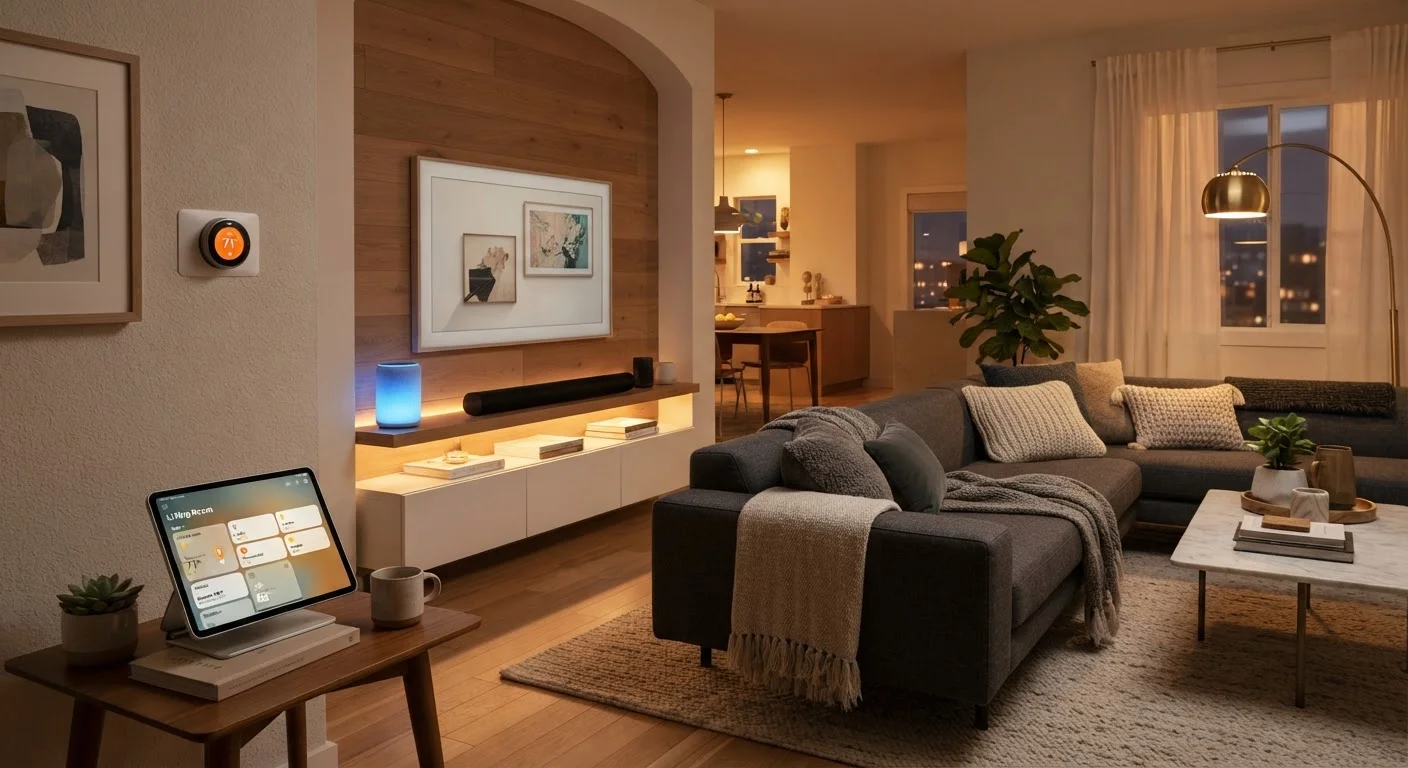
What Smart Home Technology Actually Is
A smart home is any residence where devices - lights, locks, thermostats, cameras, appliances - connect to a network and can be monitored or controlled remotely, on a schedule, or automatically based on conditions. The defining characteristic isn't any single gadget; it's the layer of connectivity and coordination that links them.
At the core, most smart devices are ordinary hardware with two additions: a wireless radio (Wi-Fi, Zigbee, Z-Wave, Bluetooth, or Thread) and embedded software that sends and receives data. That data flows through a hub, an app, or a cloud service, and that's where control happens. Understanding this chain - device → network → controller → you - demystifies nearly every behavior you'll encounter, from setup quirks to reliability issues.
For a broader look at how connected gadgets function day-to-day, the Gadgets & Devices hub is a useful companion resource.
69%
U.S. households owning at least one smart device
According to Statista consumer survey data, smart speaker and smart home device adoption has grown steadily across American households.
Matter
Cross-brand interoperability standard launched 2022
The Connectivity Standards Alliance released the Matter 1.0 specification in late 2022, backed by Apple, Google, Amazon, and Samsung.
~30%
Potential energy savings from smart thermostats
The U.S. Department of Energy estimates that programmable and smart thermostat usage can reduce heating and cooling costs significantly when configured correctly.
Protocols and Ecosystems: The Language Devices Speak
Two concepts trip up almost every new smart home buyer: protocols (how devices communicate wirelessly) and ecosystems (which platforms orchestrate them).
Wireless Protocols
- Wi-Fi: Ubiquitous, high bandwidth, but can crowd a router and drain battery-powered devices faster.
- Zigbee and Z-Wave: Low-power mesh protocols designed specifically for smart home use. Devices relay signals through each other, extending range. Require a compatible hub.
- Thread: A newer low-power mesh protocol that underlies the Matter standard. Increasingly common in modern devices.
- Bluetooth/BLE: Short range; best for devices you control directly from a phone rather than through automations.
Ecosystems
Amazon Alexa, Google Home, and Apple HomeKit are the three dominant ecosystems in the U.S. Each has a different philosophy: Alexa prioritizes breadth of compatible devices; HomeKit prioritizes privacy and local processing; Google Home integrates tightly with Android and Google services. The Matter standard aims to reduce this fragmentation by allowing a single device to work across all three simultaneously.
Matter Doesn't Cover Everything Yet
As of its current version, the Matter standard supports a defined set of device types including lights, locks, thermostats, and sensors. Categories like cameras and some appliances are still being incorporated into future revisions. Always check a specific device's Matter support status at purchase time.
Explore how ecosystems intersect with everyday technology use over at the Home Tech hub.
Building Your Setup: A Logical Starting Point
The most common mistake is buying devices impulsively and discovering they don't integrate. A more durable approach is sequential and intentional.
- Assess your network first. Smart devices depend entirely on your router. A mesh Wi-Fi system with strong 2.4 GHz coverage is the single best infrastructure investment you can make before buying a single smart bulb.
- Pick an ecosystem anchor. Choose one primary voice assistant or app as your control layer. You can add secondary ecosystems later, but one should be primary.
- Start with high-impact, low-complexity devices. Smart speakers, smart plugs, and smart bulbs are forgiving entry points. They're inexpensive, reversible, and teach you how your ecosystem behaves.
- Add complexity incrementally. Smart locks, thermostats, and security cameras introduce higher stakes - both financially and in terms of daily life impact. Add them once you understand your ecosystem.
For a sequenced walkthrough, see Your First Smart Home: What to Set Up and in What Order.
Start With One Room, Not the Whole House
Piloting smart devices in a single room - often the living room or bedroom - lets you learn your ecosystem's quirks before scaling up. You'll discover real workflow preferences, connection issues, and automation ideas that would be far more expensive to rework across a full home.
Automation: Making Devices Work Together
Individual smart devices are convenient. Automations - rules that trigger actions based on time, location, or sensor input - are where a smart home earns its name.
Common automation patterns include:
- Time-based: Lights dim at 9 p.m. every night. The thermostat drops 4 degrees at bedtime.
- Presence-based: Lights turn on when a phone arrives home. The security system arms when everyone leaves.
- Sensor-triggered: A motion sensor turns on a hallway light. A door sensor triggers a camera recording.
- Conditional: Run the fan only if temperature exceeds a threshold and it's after 6 p.m.
Most ecosystems support basic automations natively through their apps. More sophisticated logic - chaining multiple conditions, integrating devices across ecosystems - often requires platforms like Home Assistant or Apple Shortcuts.
Before buying any device, verify it supports Matter or explicitly lists compatibility with your chosen ecosystem - don't assume 'works with Alexa' and 'works with Google Home' devices will also talk to each other.
Ecosystem lock-in is the number-one source of buyer regret in smart home setups; checking compatibility upfront saves both money and frustration.
Put all smart home devices on a dedicated 2.4 GHz guest or IoT network segment, separate from your primary devices like laptops and phones.
Network segmentation limits the blast radius of any compromised device and reduces congestion, improving reliability across your entire setup.
For a candid look at what automation genuinely delivers versus where it falls short, The Honest Case For and Against Smart Home Automation offers a balanced perspective.
Security and Privacy Considerations
Every internet-connected device in your home is a potential entry point. This is not a reason to avoid smart home technology, but it is a reason to treat security as a setup step, not an afterthought.
Default Passwords Are a Serious Risk
Many smart home devices ship with default usernames and passwords that are publicly documented online. Failing to change these immediately after setup leaves your home network vulnerable. Always update credentials during initial configuration and enable two-factor authentication wherever the manufacturer offers it.
Key practices that meaningfully reduce risk:
- Change default credentials on every device immediately after setup.
- Keep firmware updated - manufacturers regularly patch discovered vulnerabilities.
- Segment your IoT devices onto a separate network (most modern routers support a guest network or VLAN for this purpose).
- Review app permissions; many smart home apps request broader data access than their function requires.
- Disable features you don't use, such as remote access via UPnP, which can expose devices to the wider internet.
Ecosystem Lock-In Is Real
Devices marketed under one ecosystem - say, a proprietary smart home brand - may stop receiving updates or lose key features if that company discontinues support. Before investing heavily, research the company's track record and prefer devices that support open standards like Matter or Zigbee. Diversifying across two major ecosystems is a reasonable hedge, but keep it intentional.
Privacy considerations vary significantly by ecosystem. Cloud-dependent devices transmit data to manufacturer servers; locally-processed devices (many Zigbee/Z-Wave setups running on Home Assistant, for example) keep data within your home network. Understand which model your chosen devices use.
Common Problems and How to Troubleshoot Them
Even well-designed smart home setups encounter friction. Most issues trace back to a small set of root causes.
Device Won't Connect
Check whether the device requires 2.4 GHz Wi-Fi (not 5 GHz) - many smart home products don't support 5 GHz. Ensure your router isn't blocking new device registrations and that you're within range during setup.
Automations Not Triggering Reliably
Cloud-dependent automations can fail during internet outages or server downtime. Where reliability is critical, prefer local-processing options. Also check whether an app or hub update changed a rule's configuration.
Voice Commands Not Recognized
Device names with ambiguous or overlapping words cause the most recognition failures. Rename devices with distinct, unambiguous labels ("bedroom ceiling" rather than "bedroom light one").
Devices Dropping Off the Network
Zigbee and Z-Wave mesh networks strengthen as you add more devices; a sparse network can leave edge devices unreachable. For Wi-Fi devices, check for IP address conflicts and consider assigning static IPs via your router's DHCP reservation feature.
“The smart home is most useful when it disappears into the background - automating the repetitive so you can focus on everything else.”
— Stacey Higginbotham, Technology journalist and IoT policy analyst, host of the IoT Podcast
Patience and methodical testing - changing one variable at a time - resolves the vast majority of smart home problems without requiring technical expertise.
The content on this site is for informational purposes only and is not a substitute for professional advice. Always consult a qualified professional for guidance specific to your situation.