

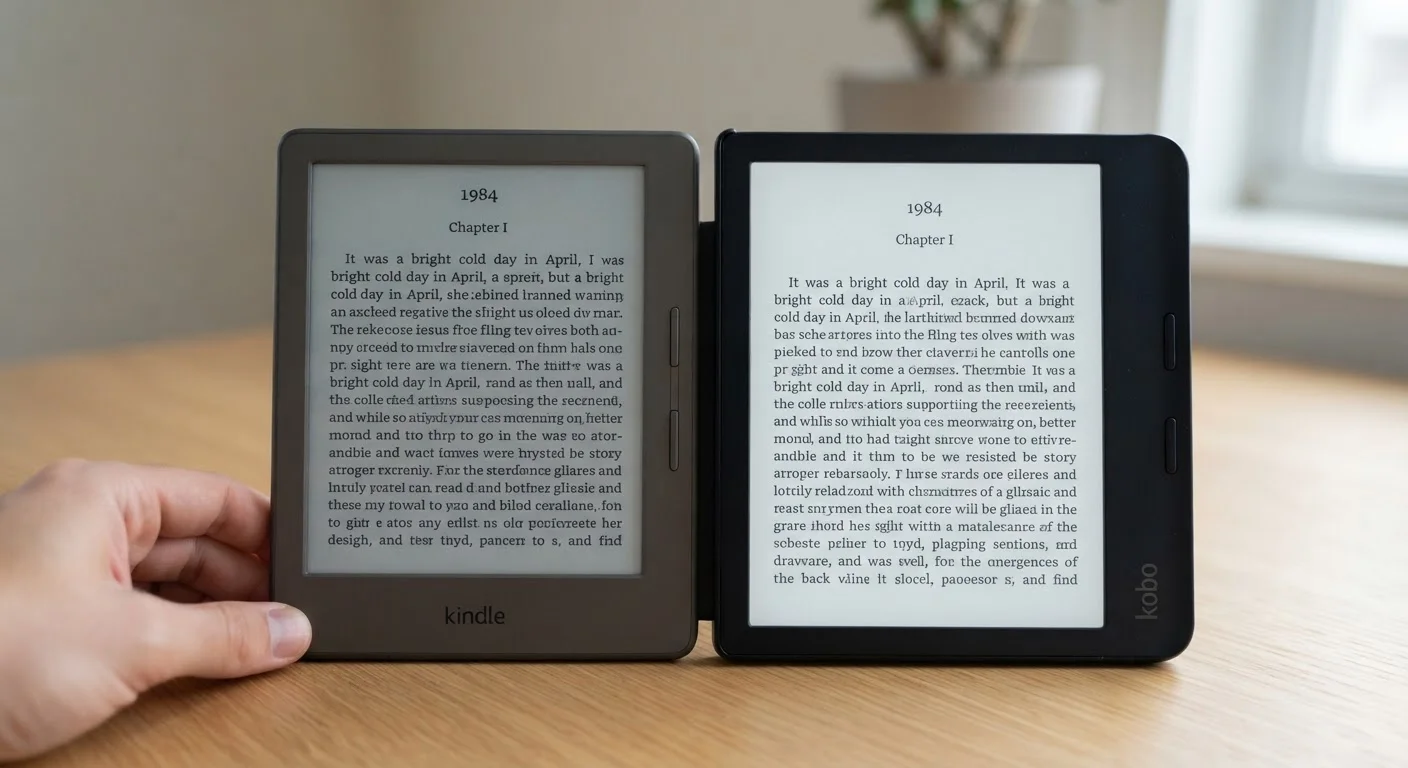
Option A
E-Ink Display
The paper-like screen built for long reading sessions.
Best for: Readers who spend hours at a time on text-heavy books, especially outdoors or in bright light.
Option B
LCD Display
The versatile backlit screen borrowed from tablets and phones.
Best for: Readers who also browse the web, watch video, or want a more responsive, colorful interface.
How Each Technology Actually Works
E-ink (short for electronic ink) displays work by physically repositioning tiny charged pigment particles - black on one side, white on the other - within sealed microcapsules. The screen only draws power when those particles move, which is why the image stays frozen on screen even when the device is asleep. Because the display reflects surrounding light rather than projecting its own, it behaves almost identically to ink on paper.
LCD (liquid crystal display) screens work the opposite way. A backlight shines continuously through layers of polarized filters and liquid crystals, which twist to let varying amounts of light through and create the image. The screen is always emitting light toward your eyes, regardless of what's on it. If you want to understand how LCD fits into the broader landscape of panel types, see our guide to OLED, QLED, and LED panel differences for a fuller picture.
That fundamental difference - reflected light versus projected light - drives almost every practical distinction between the two.
Reading Comfort Over Time
Ask a heavy reader which screen feels better after two hours, and the answer is almost always e-ink. Because the display reflects ambient light rather than shining into your eyes, it doesn't produce the same level of sustained eye strain that a backlit screen can create. There's no flicker, no constant luminance competing with the room around you.
LCD screens can be tuned - lowering brightness, enabling night mode, or reducing blue light output - and many readers find them perfectly comfortable for moderate sessions. But at the extremes (a full Sunday afternoon of reading, or a long flight), the difference tends to become noticeable.
2-6 weeks
Typical e-ink battery life per charge
Under average reading conditions, most e-ink readers outlast LCD tablets by a factor of five to ten times between charges.
~300 PPI
Common e-ink screen resolution
Many current e-ink readers reach pixel densities around 300 pixels per inch, producing text sharpness comparable to laser-printed pages.
E-ink also has a quirk worth knowing: every page turn produces a brief full-screen flash as the particles reset. On newer devices this is subtle and fast, but it's something LCD screens never do. Some readers never notice it; others find it mildly distracting during rapid navigation.
Lighting Conditions: Where Each Screen Wins
E-ink is exceptional in bright environments. Direct sunlight that washes out a phone or tablet screen actually makes e-ink easier to read - more ambient light means more reflected light, just like a printed page. LCD screens struggle here because their backlight has to compete with intense external light, and glare from the glass surface compounds the problem.
Flip the scenario to a dark room, and the gap closes considerably. Modern e-ink readers include built-in front lights (not backlights - the light is directed at the screen surface, not through it), which work well at low settings. LCD screens in dark environments are perfectly usable but require careful brightness management to avoid discomfort.
| Criterion | E-Ink Display | LCD Display |
|---|---|---|
| Light source | Reflects ambient light | Projects backlight toward eyes |
| Sunlight legibility | Excellent - improves in bright light | Poor to moderate - glare and washout |
| Eye strain over long sessions | Lower for most readers | Higher without careful adjustment |
| Battery life | Weeks per charge | Days per charge |
| Page-turn speed | Slight flash on refresh | Instant, no flash |
| Color reproduction | Limited (grayscale standard; color improving) | Full, vivid color |
| Night reading comfort | Good with warm front light | Usable; requires low brightness |
| Versatility beyond reading | Limited - reading-focused | High - browsing, video, apps |
One practical note: front-lit e-ink readers with warm-light options are generally considered gentler for late-night reading than standard LCD tablets, though individual sensitivity varies.
Battery Life and Everyday Practicality
E-ink's power-only-on-change design translates to dramatically longer battery life. A typical e-ink reader can last two to six weeks on a single charge under normal reading conditions. An LCD-based reader or tablet doing the same job will typically need charging every one to three days.
For most people reading at home this barely matters - charging is easy. For travelers, commuters, or anyone who dislikes carrying cables, the difference is real and practical. E-ink also handles being left uncharged for weeks without significant battery degradation, which suits occasional readers well.
On the responsiveness side, LCD wins clearly. Page turns are instant, animations are smooth, and interfaces built for touch feel snappier on LCD. E-ink's refresh rate has improved substantially over the years, but scrolling through a library or navigating menus still feels slightly sluggish compared to a tablet.
Color is another area where LCD holds the advantage. Color e-ink panels exist and have improved, but they remain noticeably less vibrant than even a mid-range LCD tablet - relevant if you read graphic novels, illustrated children's books, or heavily formatted magazines.
Which One Fits Your Reading Life
The honest answer is that most dedicated readers - people who sit down primarily to read books - tend to prefer e-ink once they've tried it. The paper-like quality, battery endurance, and outdoor usability stack up into a meaningful advantage for that specific use case.
But LCD-based readers and tablets earn their place for readers who want flexibility: someone who reads a chapter, then switches to email, streams a podcast, or browses a recipe site doesn't benefit from owning a device optimized purely for reading. A general-purpose tablet with a good reading app covers those bases in one device.
A Note on Reading Apps vs. Dedicated Devices
If you already own a tablet or smartphone, a reading app gives you access to the same book libraries without any additional hardware. The screen technology is LCD by default, so the tradeoffs above apply. Dedicated e-ink readers are purpose-built devices - they don't replace a tablet, and they're not intended to. Choosing between them is really a question of how central reading is to your daily device use.
It's also worth noting that display technology continues to evolve on both sides. Color e-ink panels are improving, and high-refresh e-ink aimed at reducing the page-turn flash is commercially available. Meanwhile, LCD tablets continue to add eye-comfort features. The gap between the two experiences is narrower than it was five years ago - but the core tradeoffs described here remain intact.
The content on this site is for informational purposes only and is not a substitute for professional advice. Always consult a qualified professional for guidance specific to your situation.